ModernVerb is a next‑generation spatial reverb plugin that turns complex DSP into a visual, interaction‑driven experience. The Interactive Halo lets producers shape fast, characterful spaces while staying fully in the creative flow.

3 Months


200+ Prototypes


Lead Product Designer

Modernverb Design Trailer. The trailer, instrumental soundtrack, and Halo prototypes were independently created by me as design explorations and are not official assets

Responsibilites

Market & User Research

Product Strategy & System Architecture

Interaction & UX Design

Visual & Motion Systems

Prototyping & Validation

Project Scope

ModernVerb is an in-development spatial processing plugin and the flagship product of Trapezoid. The project began with a simple observation: despite major advances in audio technology, most reverb plugins still rely on dense interfaces, technical terminology, and parameter-heavy workflows that slow exploration and increase cognitive load.

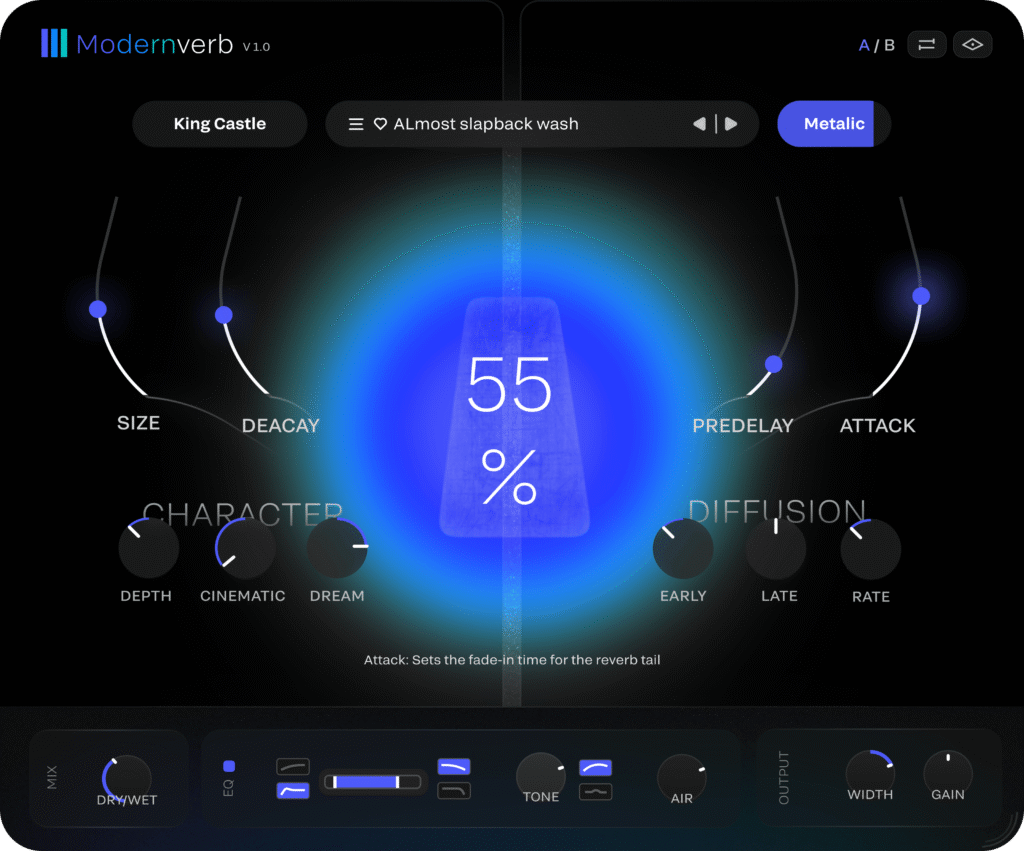
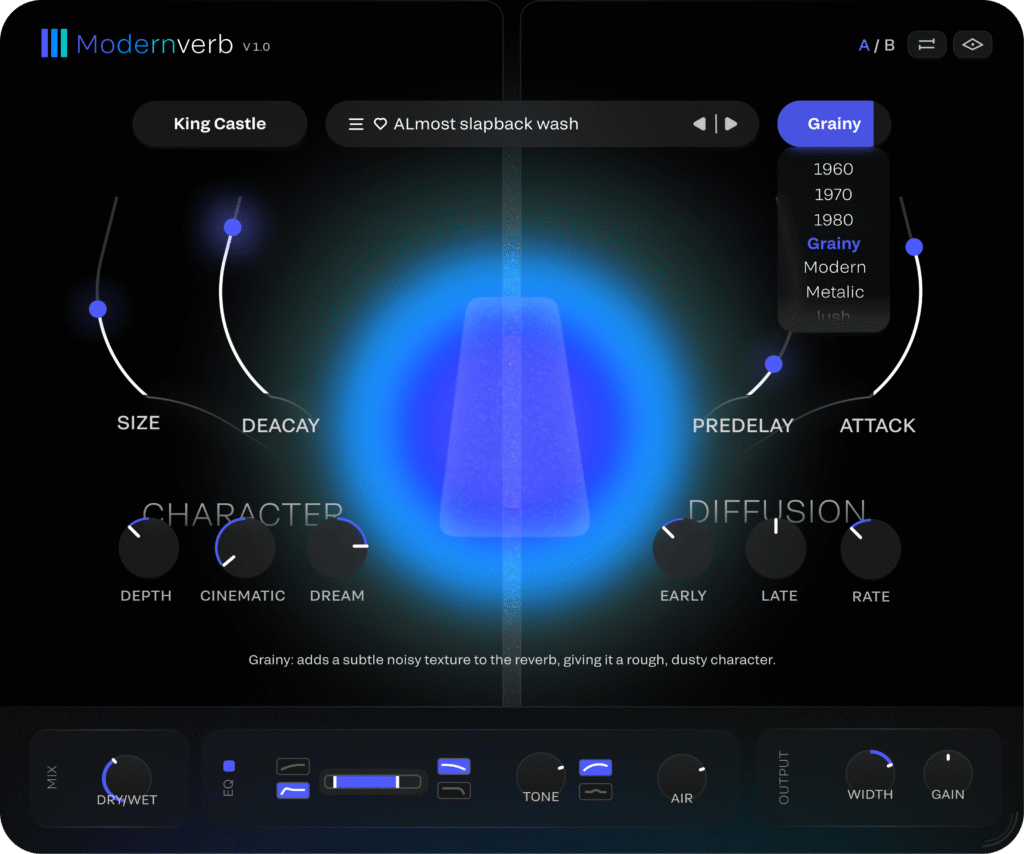
To address this, I designed the Interactive Halo—a visual interaction system that translates complex reverb behavior into an intuitive spatial representation. Rather than forcing users to interpret dozens of parameters, the interface provides immediate visual feedback that reveals how the acoustic space responds in real time.

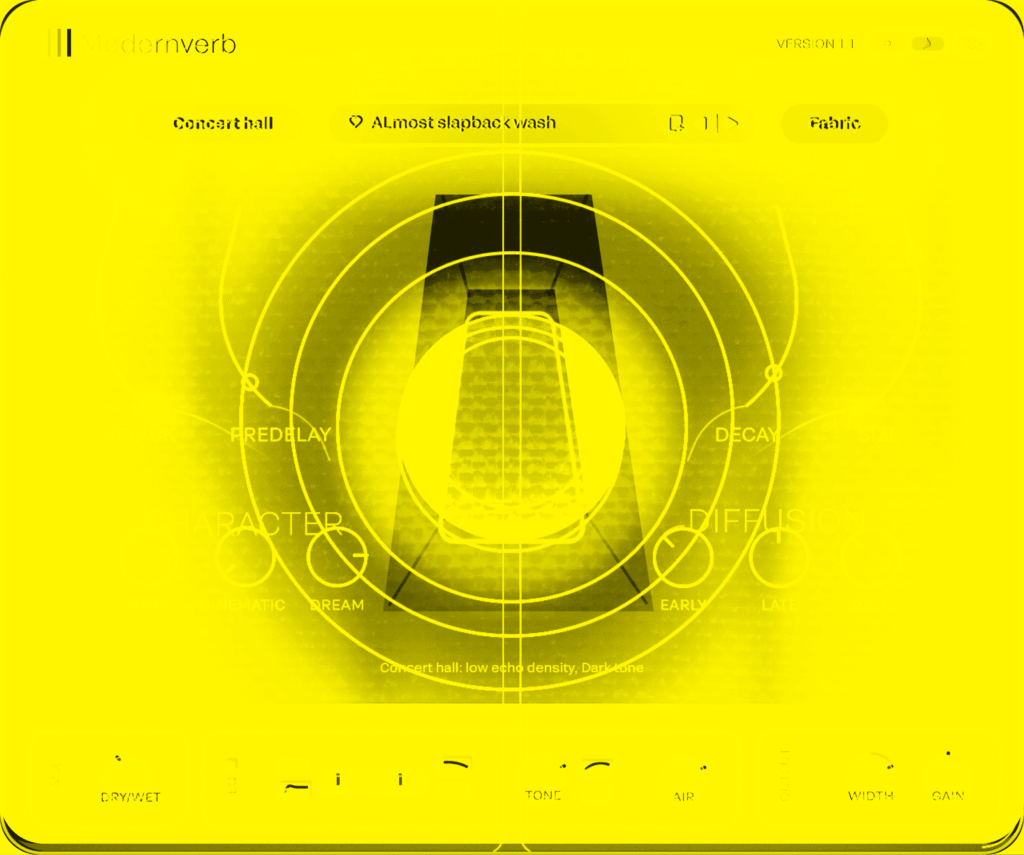
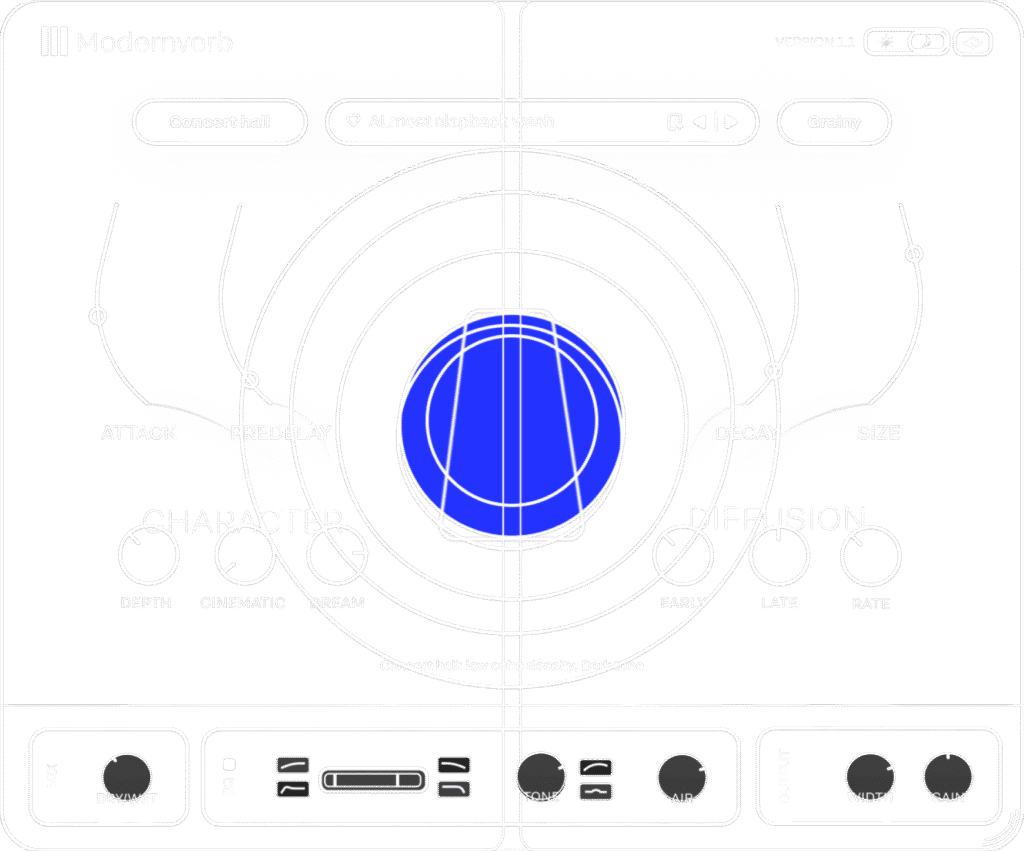
Halo interaction exploration and early motion prototypes Investigating how DSP parameters influence the visual behavior of the halo system

Concept & Interactive Halo

ModernVerb is built around a simple idea: reverb should be experienced as a space, not a collection of parameters.

At the center of the experience is the Interactive Halo—a real-time visualization that reflects both the incoming audio signal and the behavior of the reverb engine. Instead of interpreting abstract controls, users can see the acoustic space evolve as they shape it.

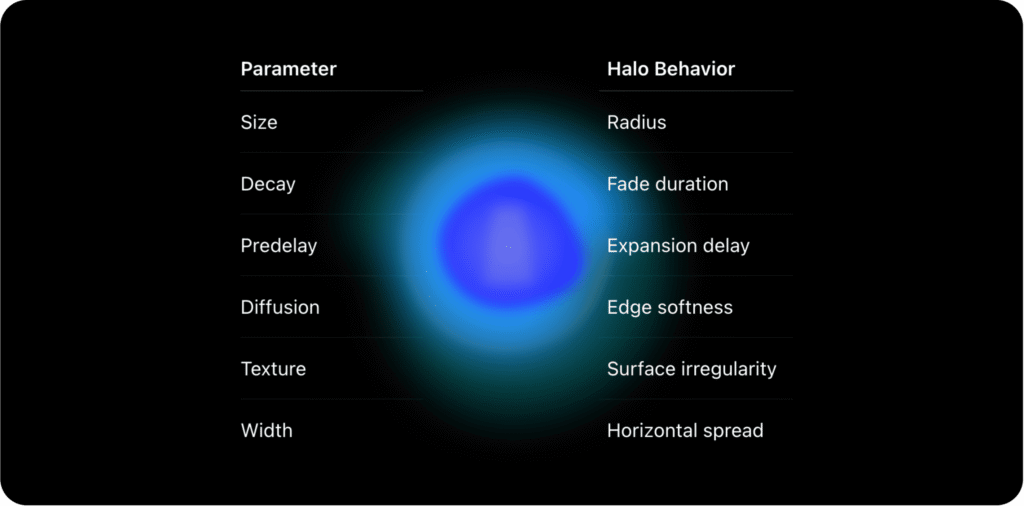
The inner halo represents tonal energy and signal intensity, responding dynamically to the input source. Surrounding layers visualize spatial characteristics such as decay, diffusion, and tail behavior, expanding, softening, or contracting as parameters change. Each movement creates a direct relationship between sound and form, helping users understand complex processing through visual feedback rather than technical interpretation.

The result is a workflow that feels immediate and intuitive. Rather than adjusting settings and waiting to hear the outcome, producers can shape the space visually while receiving continuous confirmation from both their ears and eyes.

Reverb With Character

Most reverbs are built around familiar acoustic spaces. Modernverb takes a different approach — creating environments that feel cinematic, atmospheric, and full of character.

Some spaces were inspired by real locations with distinctive acoustics, while others were shaped through 3D spatial modeling, where scale, distance, and geometry could move beyond physical limitations. To guide their behavior, we studied how reflections interact with materials like wood, glass, and stone, observing how surfaces influence tone and depth.

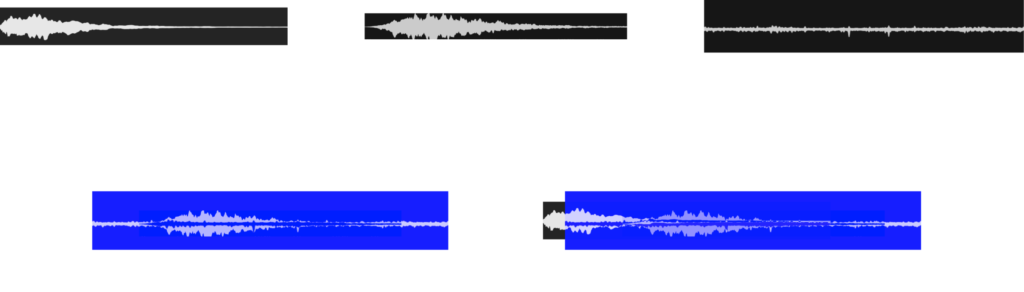
A dedicated Texture layer blends subtle noise and organic imperfections into the reverb tail, adding movement and preventing the sound from feeling overly polished or sterile.

Together, Room and Texture shape spaces with personalities of their own — less like neutral effects, and more like environments with a distinct sonic identity.​

Workflow Designed to Feel Effortless

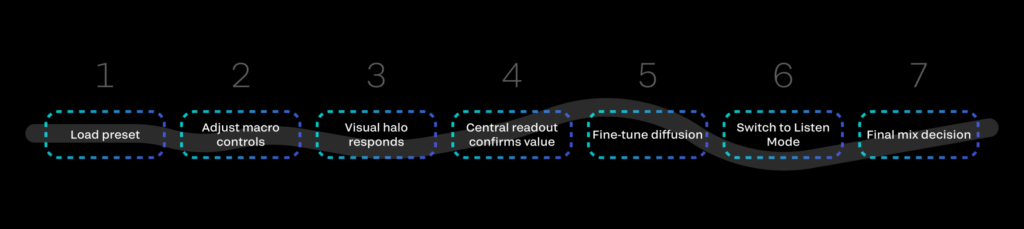
Modernverb streamlines shaping reverb into a small set of expressive controls. Instead of managing long chains of processing, each macro condenses multiple behaviors into a single, natural movement—helping producers reach the sound they want without friction.

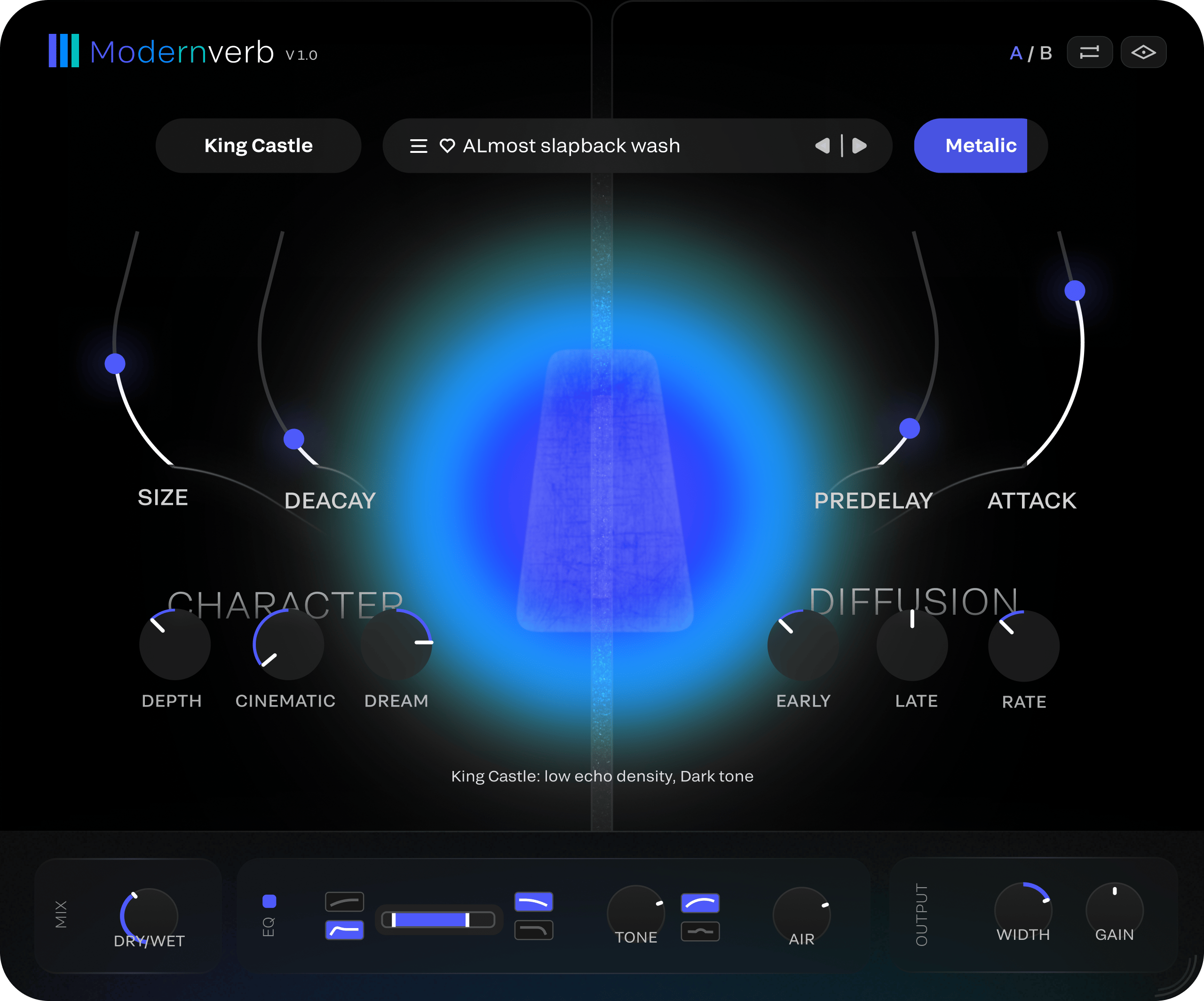
The workflow is built around clarity. The halo system visualizes the reverb in real time, showing intensity, depth, and motion at a glance. When a parameter is adjusted, a large central readout highlights its value while a short description appears below, creating an immediate connection between what you see and what you hear.

This visual language makes decisions feel intuitive. Research in visual cognition shows that people can extract meaning from visual patterns in as little as 100–150 milliseconds, enabling rapid recognition of structure and relationships before conscious analysis begins. Source: "Feedforward processing in the visual system" (VanRullen & Koch, 2003)

The lower control strip remains minimal and balanced, giving quick access to the essential parameters without pulling focus away from the main visual experience.
Listen Mode

Listen Mode strips ModernVerb down to its essence: a single halo responding to sound in real time. With controls hidden, producers can focus entirely on listening, making it ideal for exploring presets, shaping atmosphere, or evaluating a space without distraction.

But this simplicity also unlocks a powerful marketing advantage.

Creators often record their DAW screens for TikTok and Instagram, and clean visual moments matter. Listen Mode gives them a beautiful, motion‑driven surface that elevates any clip while keeping the spotlight on the music. It’s a high‑impact feature built with minimal effort: remove the noise, keep the character, and let the reverb become a visual performance.

Design Refinements

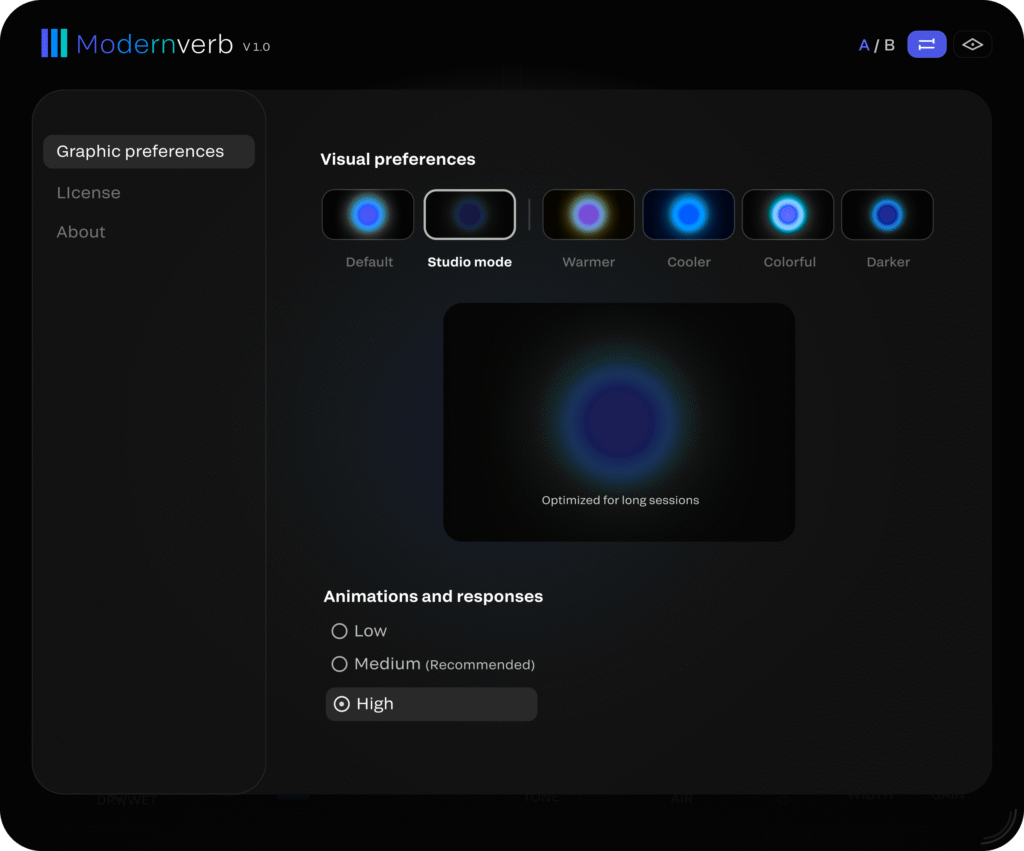
ModernVerb includes a set of refinements designed to improve comfort during long sessions. Studio Mode reduces contrast and glow for a calmer visual experience, while UI scaling allows the interface to adapt to different screen sizes and working distances.

Color presets provide alternative visual treatments that improve visibility across different environments and displays. These adjustments are subtle by design, helping the interface remain clear, comfortable, and focused regardless of workflow.

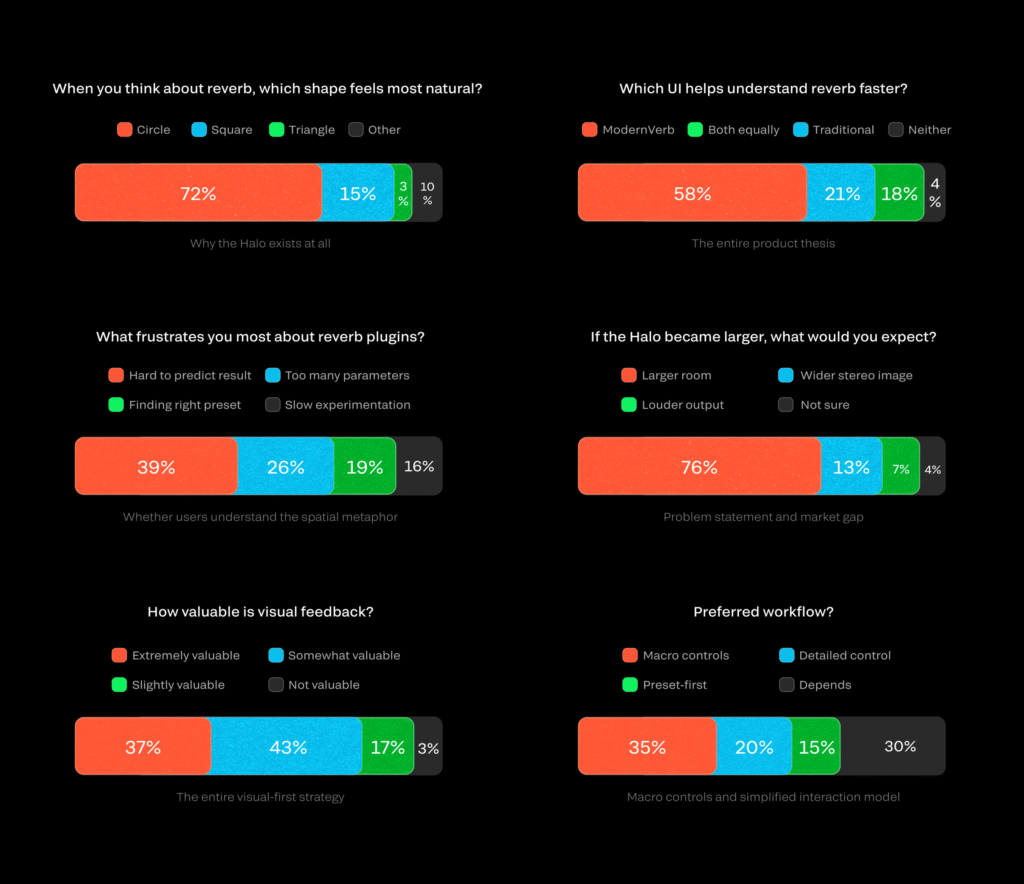
The survey was used to validate mental models and identify workflow frustrations. Preference results should be interpreted cautiously, as participants evaluated a concept rather than a working product.

Research Validation

I surveyed 103 music producers to test the core concept behind ModernVerb.

39% cited unpredictable results as their biggest frustration with reverb plugins.

76% interpreted a larger halo as a larger room size.

58% found the visual-first concept easier to understand than traditional plugin interfaces.

The findings supported a design focused on spatial feedback, faster comprehension, and reduced complexity.

Halo mapping

User Flow

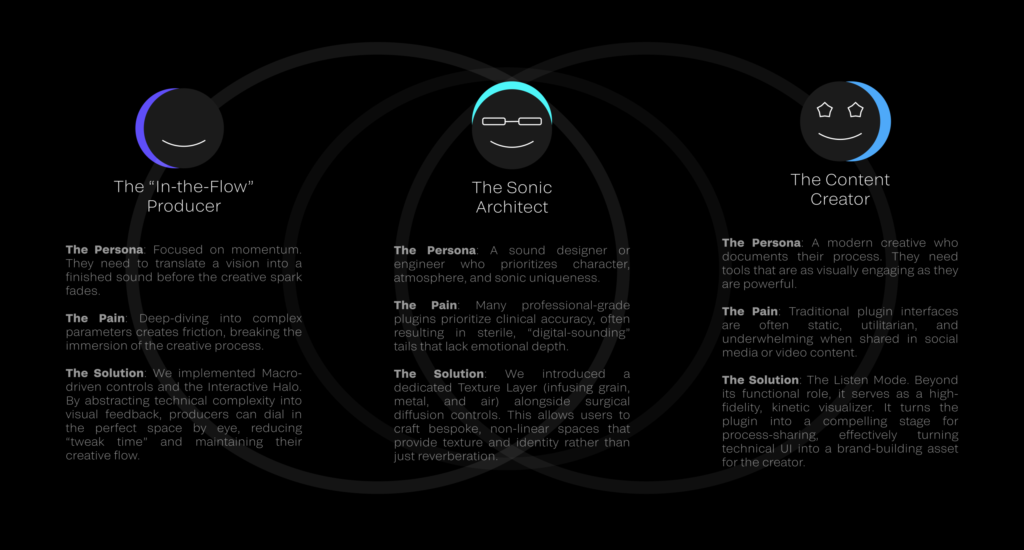
Persona

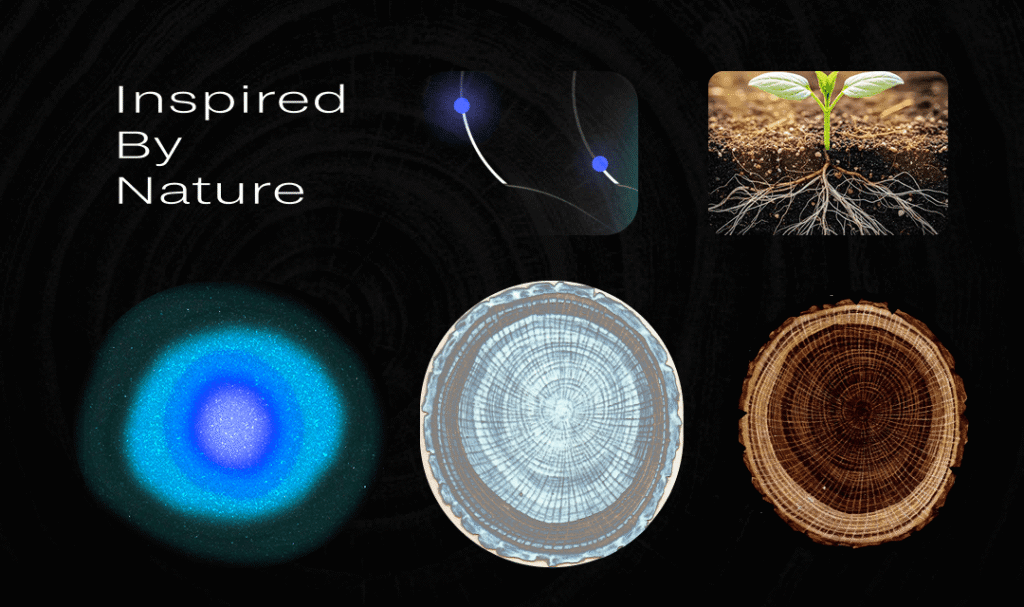
Organic Inspiration

A new way to see reverb

A new way to see reverb

for Devs and DSPs

-

Trade‑offs, performance decisions, and the

reasoning behind key visual and interaction choices

This section is optional and intended for engineers and technical designers

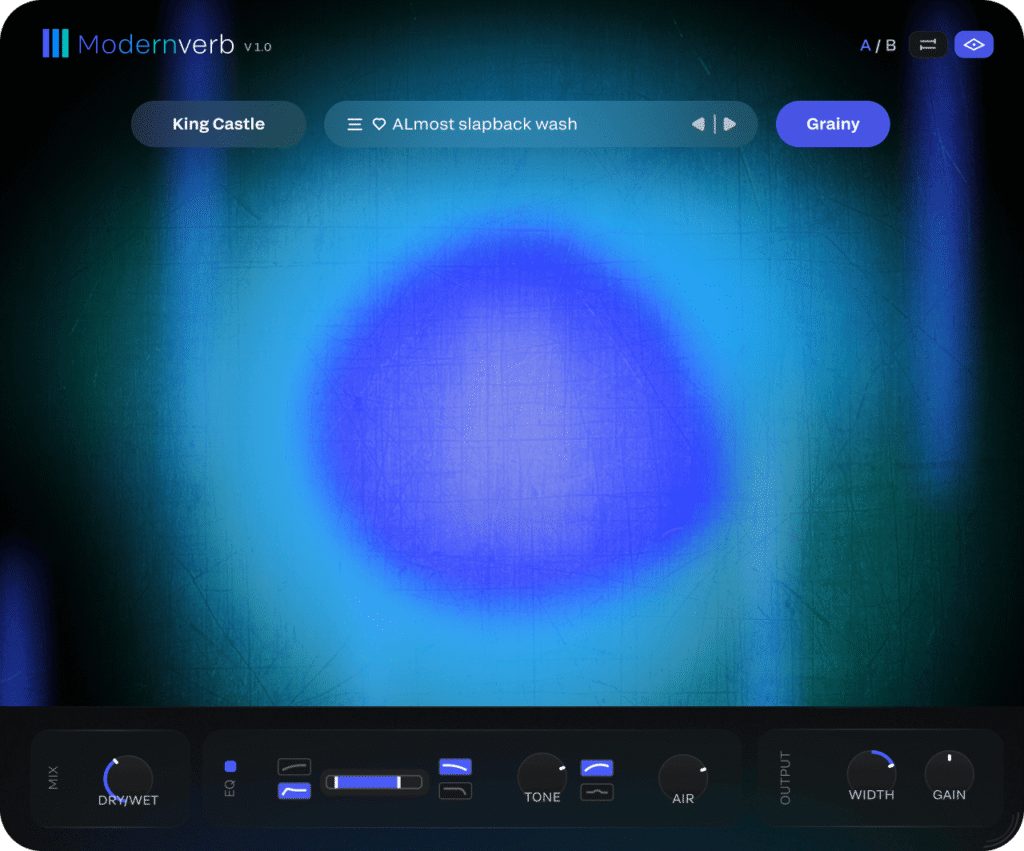
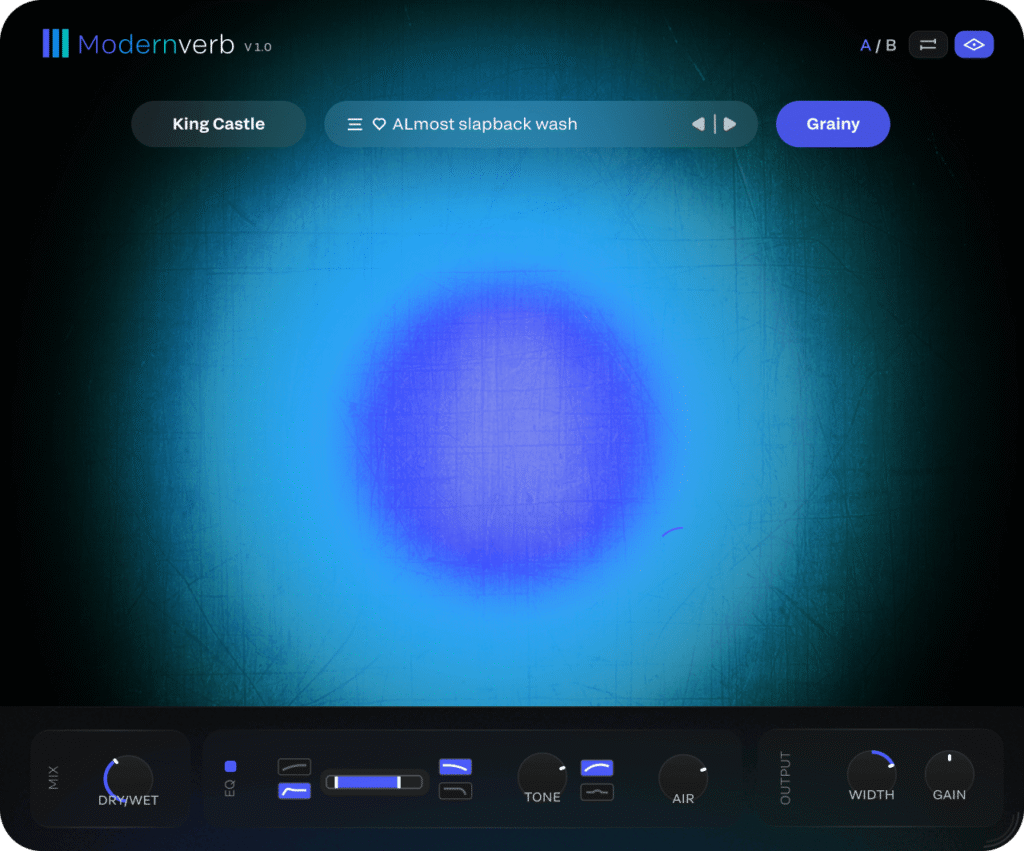
Left: Realtime GPU halo with animation — Right: Designed Degradation for low‑spec systems

Realtime Halo → Designed Degradation (Meaning over Fidelity)

On high‑end systems, the halo is rendered using real‑time GPU‑driven light simulation. But in audio products, performance budget must be reserved for DSP—not graphics. Instead of disabling the visual feedback on low‑spec devices, I designed a lighter, parameter‑driven alternative. The real‑time halo is replaced with layered static assets (PNGs) that scale and blur based on the same reverb parameters.

Outcome: The visual fidelity drops, but the meaning stays. Users still understand how the sound is changing, regardless of hardware capability.

Adaptive Graphics Pipeline

ModernVerb adapts its visual system across three GPU tiers

High — The halo reacts in real‑time, responding to both audio input and internal parameters.

Medium — The halo animation becomes parameter‑driven, reducing visual complexity while preserving clear feedback.

Low — The halo is simplified to lightweight PNG layers. They scale, fade, or lose sharpness based on parameter values, replacing real‑time rendering with minimal GPU cost.

The goal is simple: Preserve meaning, not GPU cost.

Curved Sliders

Problem

Parameter controls needed to feel modern and expressive without introducing unfamiliar gestures. The layout had to visually connect to the halo while keeping the interface minimal and readable.

Solution

Inspired by Output Arcade, I designed a curved slider layout that looks organic but operates with a simple, predictable vertical gesture. The visual arc supports the aesthetic language of the halo, while the underlying interaction remains standard, fast, and accurate.

Result

The sliders align visually with the halo, reduce cognitive load, and enable quicker parameter changes—preserving clarity and speed without adding interaction complexity.

Textured Reverb (A Creative Direction for DSP)

Problem

After years of working in music production, I often felt that most reverbs sounded too polished. They lacked the personal, experimental texture that modern producers look for—something with character, motion, and a bit of imperfection.

Solution

I proposed a simple creative direction for DSP: separate the reverb tail from the dry sound, blend it with a curated noise layer (grain, metal, dust, etc), and let the noise subtly shape the tail’s texture. The goal wasn’t to redesign DSP, but simply to offer a creative direction shaped by my production experience. After blending, the textured reverb is aligned back with the dry signal based on the user’s predelay setting.

Result

The tail keeps its clarity but gains a gentle, musical texture—less clinical, more personal. It creates a reverb that feels expressive out‑of‑the‑box, giving producers a characterful space without losing control or transparency.

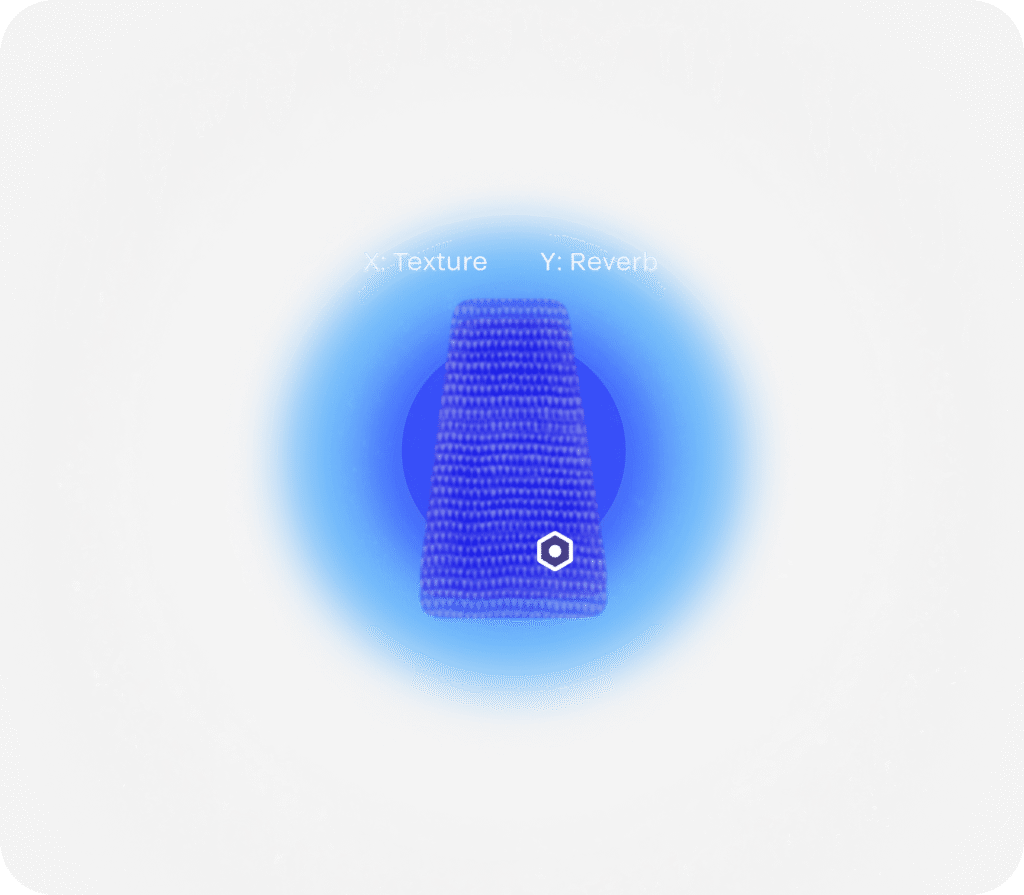
Early Iteration – Central XY control for Texture/Reverb (Removed for performance & clarity)

The Pivot: Why We Removed the XY-Pad

During the early development of ModernVerb, I designed a central XY-pad allowing for complex morphing between “Texture” and “Reverb” engines

The Challenge

While innovative, internal testing showed that this added significant cognitive load, steering the product away from our goal of “intuitive speed.” Furthermore, the computational cost of maintaining this real-time interaction alongside the ‘Interactive Halo’ threatened our target performance budget.

The Decision

I chose to simplify the interface, focusing the user’s attention on the Halo. By consolidating the engine balancing, we maintained the product’s creative depth while ensuring a much faster, more approachable workflow.

Lesson Learned

This taught me the importance of “Meaningful Simplicity”—sometimes, the most effective design choice is knowing which features to subtract to strengthen the core experience.

Closing render from the halo system exploration